
OBSOLETE VERSION ... CLICK HERE for instructions for the newer hardware.
Only use these instructions if you have a PC board from the earlier version of the TactileAudio system.
Getting Started
What is TactileAudio?
The TactileAudio is a device that uses capacitive (touch/tactile or proximity) sensing to trigger fixed audio files and/or trigger haptic vibrations. You design and create tactile sensors that fuse touch (passive haptics) and listening to deepen and embody listening.
Accessible technology and low cost are key features: hardware costs are under $150, and non-technical people (painters, sculptors, weavers, museum curators) can build and customize a system in a few hours.
-
- Low-cost, easy-to-use system for touch-sensitive audio projects
- You can design create up to four touch/proximity capacitive sensors
- Each sensor controls playback of a fixed audio track
- Complete, configurable software provided to control the sensors and audio
- Hardware can be expanded to design other sensors: photo sensors, motion sensors, sound, vibration, etc.
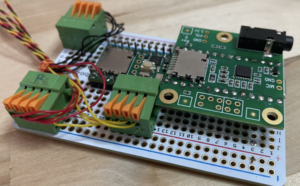 Version 1
All of the original documentation, including videos and PDF instructions are still available for the Version 1 TactileAudio Project:
CLICK HERE for Version 1 Instructions
Note that Version 1 devices are 100% compatible with the latest software, including the TactileConfigurator.
Materials Costs (approximate)
- $120 USD: Cost of electronics
- $50 USD: Cost of tools and supplies (if you don't have them already)
Skills
- A creative vision
- Ability to solder (instructions provided)
- Use a computer
Computer and Software
- A Macintosh, Windows, or Linux computer
- The Arduino app (used to upload the software to your project
How it Works
For those interested in the technical details of TactileAudio, here are the components of the system and how they work together to convert touch into sound.
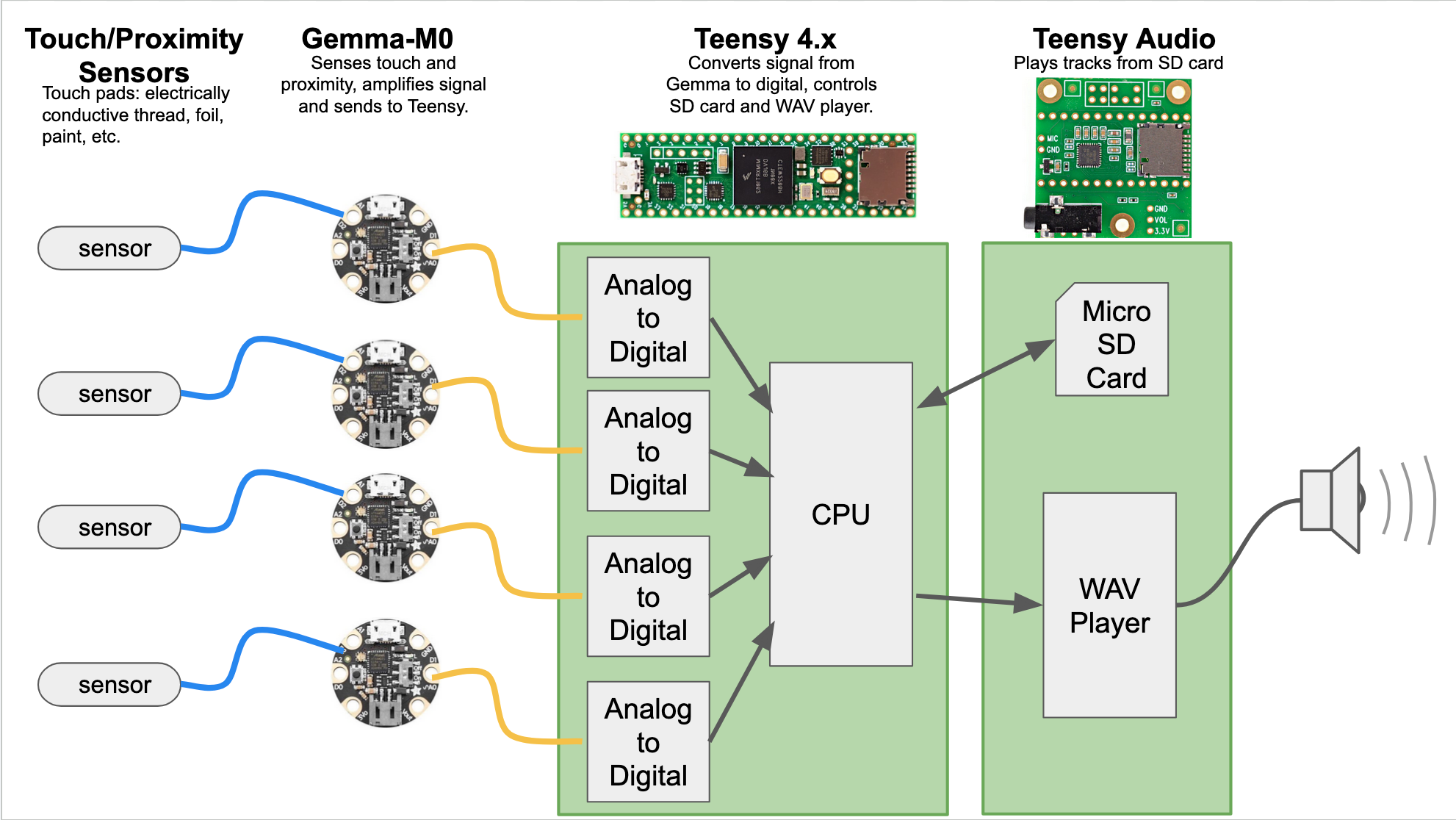
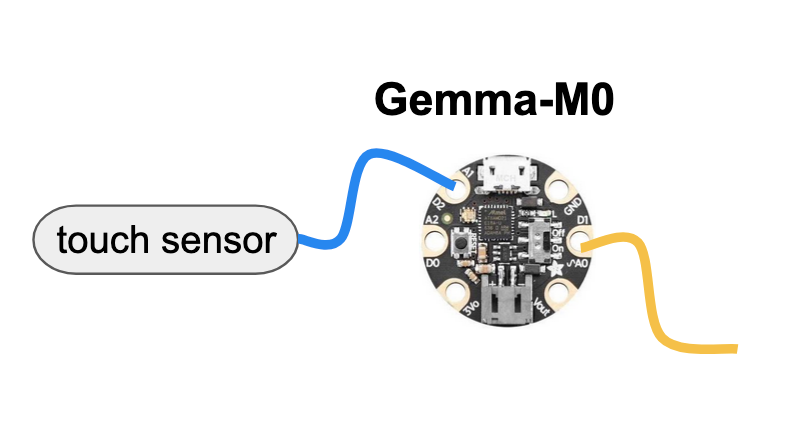
Gemma-M0 Miniature Wearable Electronic Platform
- Capacitive touch/proximity-sensitive input
- Placed close to sensor: sewn into clothing, placed on a sculpture, connected to a painting
- Output signal sent to Teensy using long wires, immune to interference
- Like a “pre-amp” that boosts the touch/proximity signal and sends it to the Teensy
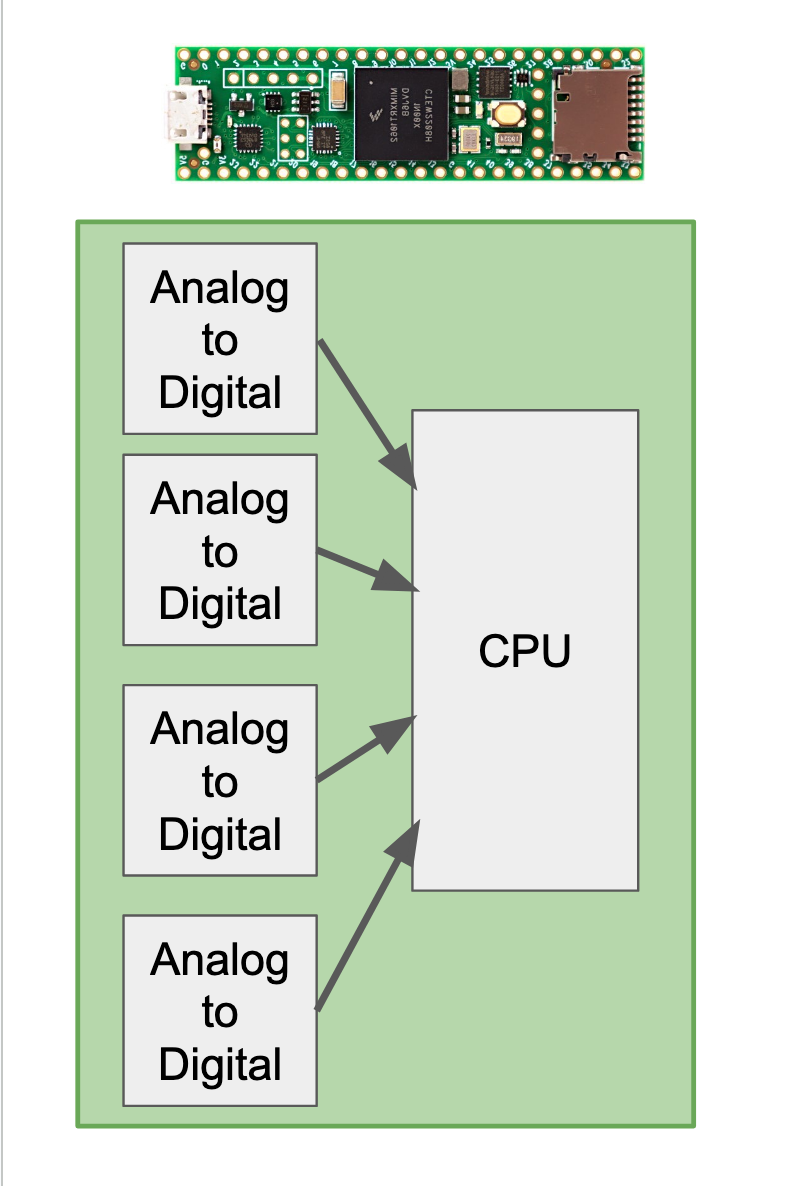
Teensy 4.x 600 MHz CPU Board
- The controller for everything; all of the programming (the software) are on the Teensy CPU board
- 600 MHz processor, 1MB memory, USB port
- Reads signal from Gemma-M0, controls play/stop of audio tracks and haptic vibrations
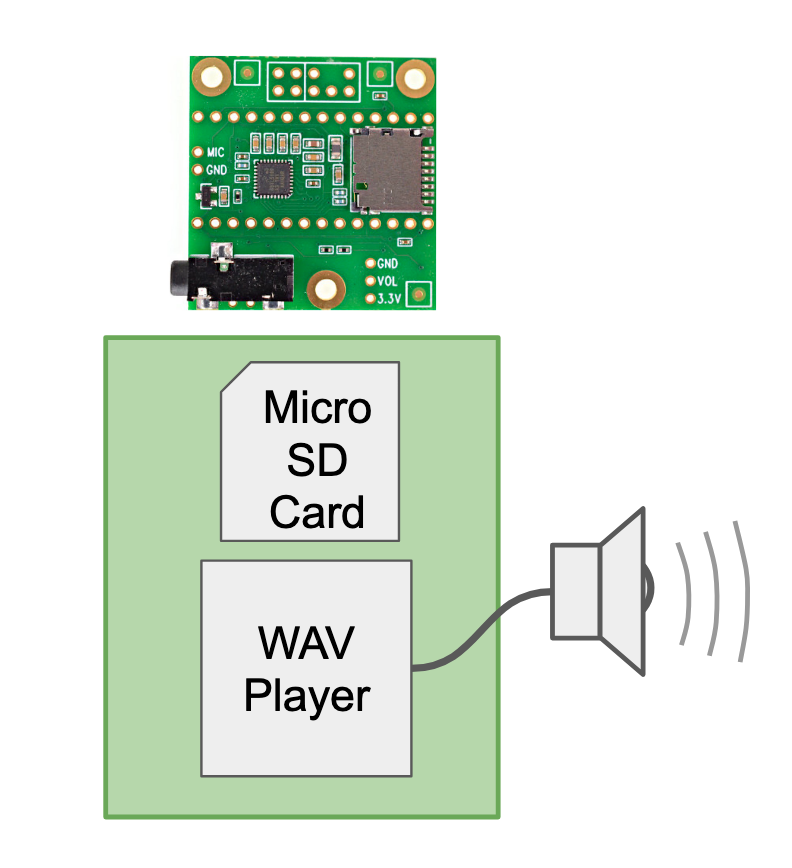
Teensy Audio "Shield"
- Similar to an MP3 or WAV player
- Micro-SD card holds audio tracks
- Decodes WAV files and converts to analog sound
- Output signal can be played through any normal audio amplifier or sent to a Bluetooth transmitter connected to a speaker
- Controlled by Teensy CPU, which starts and stops tracks, controls volume
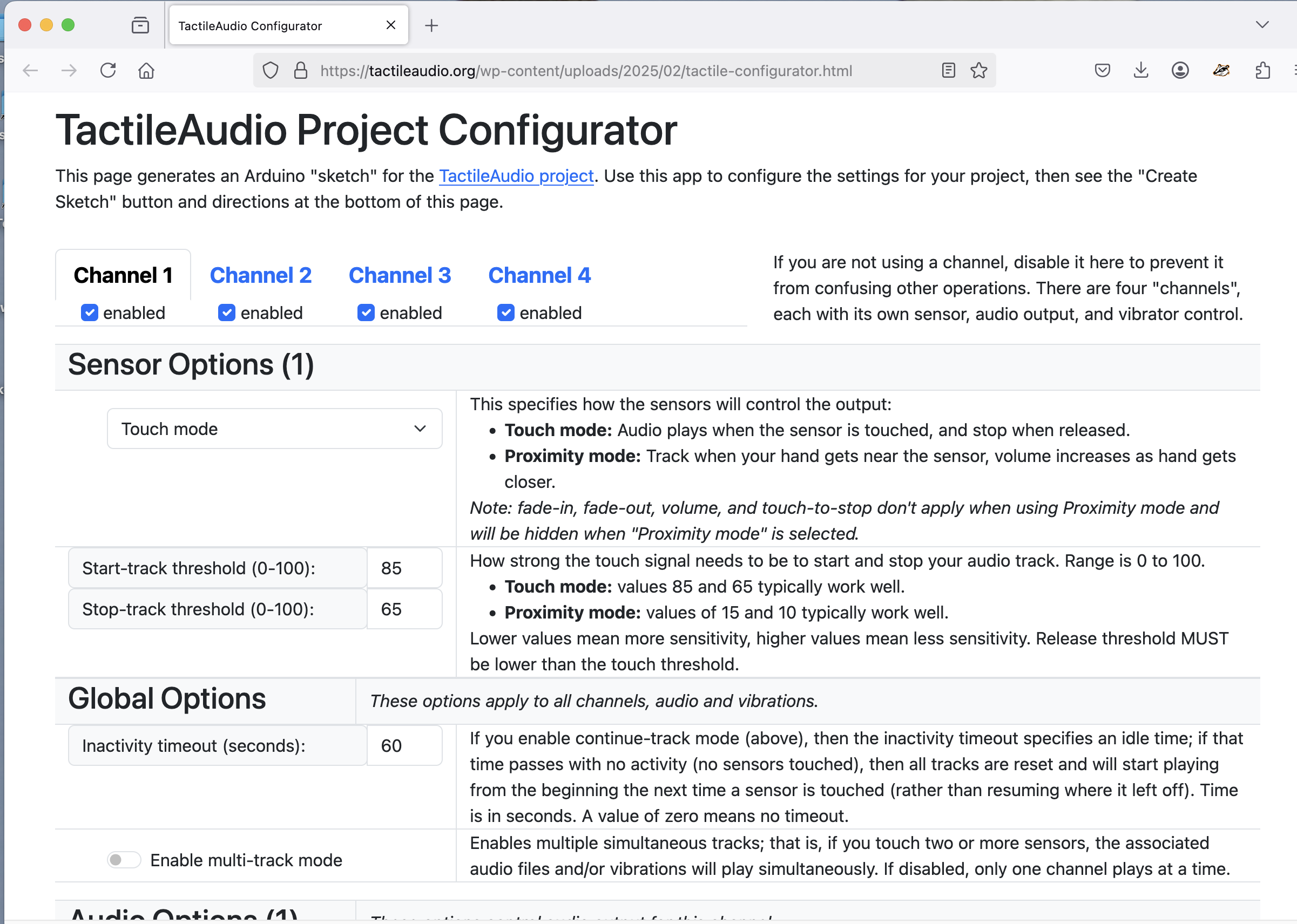
The "Configurator"
The heart of a TactileAudio device is a computer, but you don't need to write any computer code. The “Configurator” web app provides an easy way to create the Arduino software ("sketch") necessary to run your project. While you might be able to write Arduino software on your own, the Configurator provides graphical ways to customize the interactivity of your project. It creates the software that you can paste into the Arduino app.