
OBSOLETE VERSION ... CLICK HERE for instructions for the newer hardware.
Only use these instructions if you have a PC board from the earlier version of the TactileAudio system.
Prepare Audio Tracks
Audio Requirements
You’ll need some audio tracks to test that your system is working correctly. It doesn’t matter what’s on them for testing, just something you’ll recognize (music, your voice, etc.).
The Teensy Audio Board ONLY recognizes one specific audio file format:
- WAV format
- 16 bit
- 44.1 KHz
There are many programs that produce WAV files; on a Mac, GarageBand works well. Just be sure that you specify 16-bit, 44.1 KHz, WAV options. Any other format will result in no sound. (Note: The Teensy manufacturer, PJRC, says that MP3 format will be supported soon. We will modify these instructions when that happens.)
SD Card Requirements
As noted on the Material List, we recommend these SDHC cards: SanDisk Ultra SDHC (or get from Amazon)
You can’t use just any micro-SD card, even fast ones. Many high-performance SD cards are optimized for video streaming, that is, for storing or retrieving a single file very quickly. The Teensy is designed to play four tracks simultaneously, which requires a different type of high-performance SD card.
File Naming: Single Tracks
When your tracks are ready, simply copy them to the micro-SD card you bought.
We recommend naming your tracks with numbers or letters to associate them with the channels (sensors) on your project. For example:
Prefix with numbers 1-4. This is simple and clear.
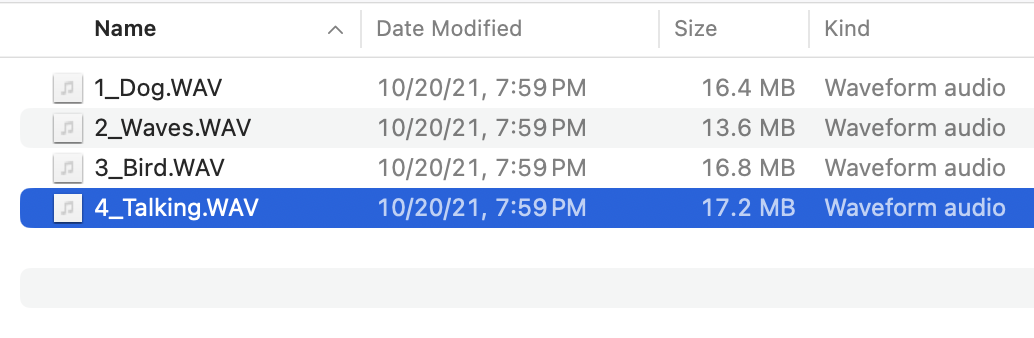
You can also use letters A, B, C, D.
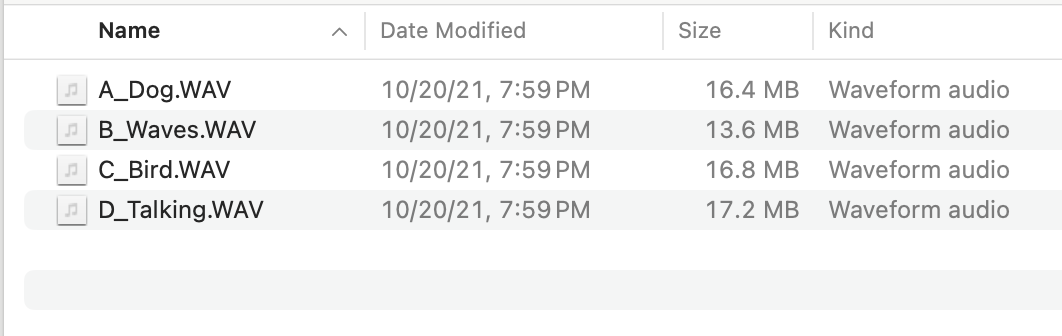
(Here's more technical detail: The specific names don’t matter, but alphabetical order does. The TactileAudio software scans your SD card, finds all the .WAV files, and sorts them into alphanumeric order. Once sorted, it assigns channels 1-4 to the first four .WAV files it found.)
File Naming: Random Tracks
The “play random track” option of TactileAudio system (which is described further in the software section, below) allows you to randomly select from up to 100 different tracks for each sensor. To use the random-track feature, create folders on the micro-SD card, one per sensor. They must be named E1, E2, E3, and E4. Each folder corresponds to one of the touch/proximity sensors.
A typical micro-SD card’s contents might look like this on a Macintosh:
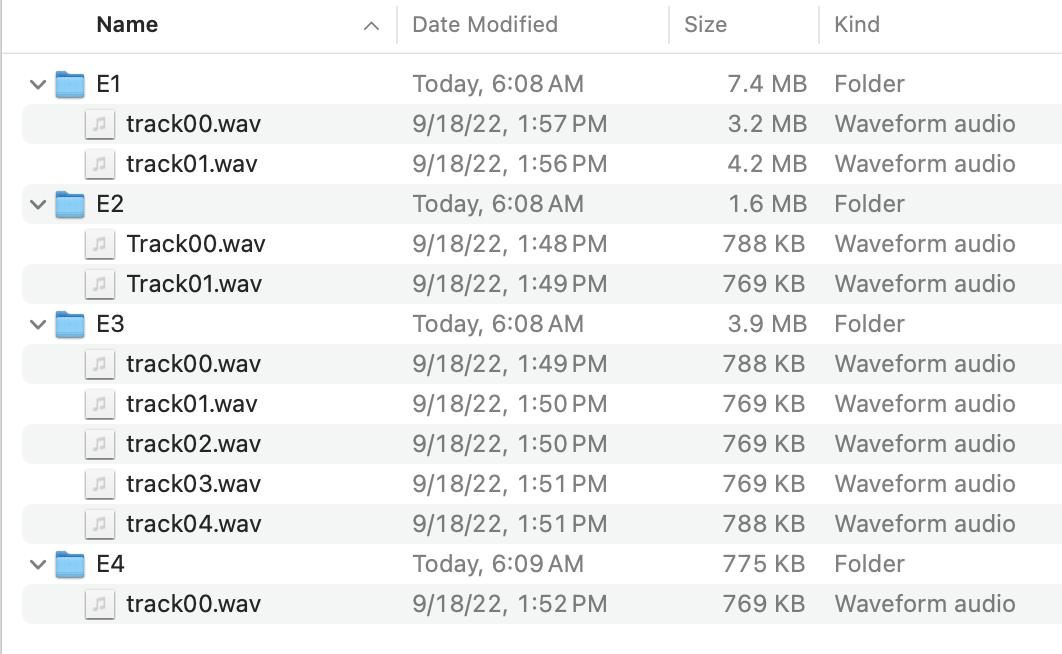
Note that while the folders must be named E1-E4, the names of the tracks inside each folder don’t matter (except that they must be .wav or .WAV). They’ll be played in random order regardless of names.
You can also mix random and single-track mode; that is, one channel (sensor) can play random tracks, and other channels play single tracks. For example, if you wanted to assign channels 1 and 2 a single track, and 3 and 4 to play random tracks, you SD card could look like this:
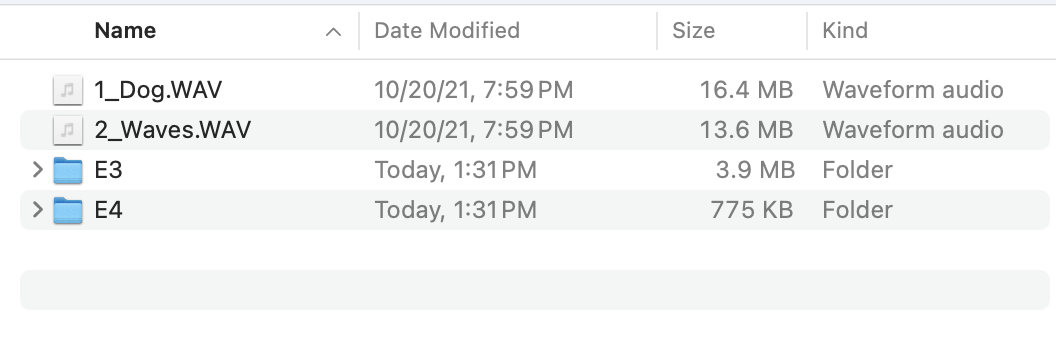
However, be aware that the single tracks still must be in alphabetical order, even if a track isn’t used. For example, if you want channels 1 and 3 to be a single track, and 2 and 4 to play random tracks, you might do this, but it won’t work correctly:
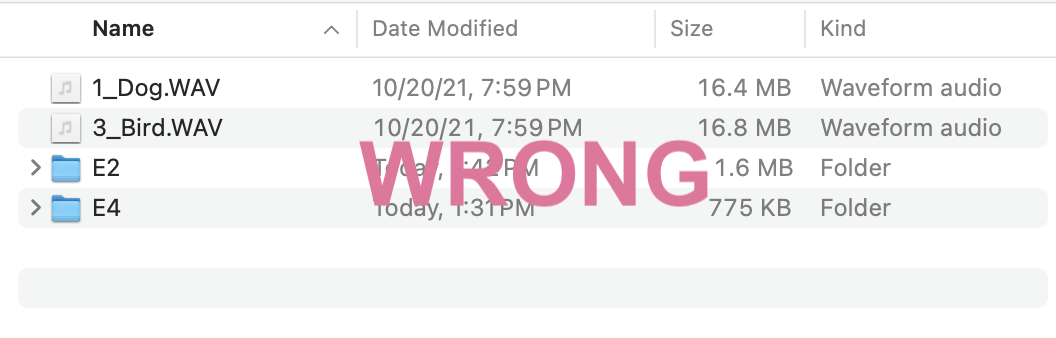
The problem is that the Dog-Bird tracks are the first and second tracks in alphabetical order, so will be assigned to sensors 1 and 2. To do this correctly, create a dummy file like this:
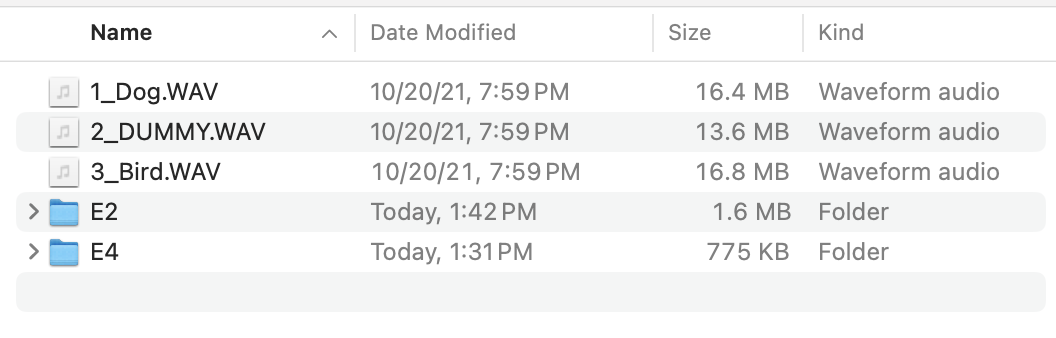
It doesn’t matter what’s in the dummy file, only that it exists and has a .WAV suffix.
Installing the SD Card in your Teensy
When your micro-SD card is ready, be sure the Teensy is unplgged (no power), then insert the micro-SD card into the Teensy Audio board’s micro-card reader. (Note: there is also a second micro-SD reader on the Teensy 4.1 board; leave it empty, it’s not used.)
Always unplug the Teensy's power before you install a new micro-SD card. It won't damage anything if the power is on, but the Teensy only reads the SD card's contents when you first turn on the power. If you install the micro-SD card in a powered-up Teensy, it won't re-read the contents.